Build desktop and web apps visually
Create desktop apps for macOS, Windows and Linux, rich web apps for the browser, and command line tools. One visual IDE. One approachable BASIC-like language.
Meet the Web target
Your next app could run in a browser.
Build customer portals, internal tools and data dashboards with responsive forms, searchable lists and interactive charts. Design the page visually, write its events in Objo and run it in your browser.
Discover web apps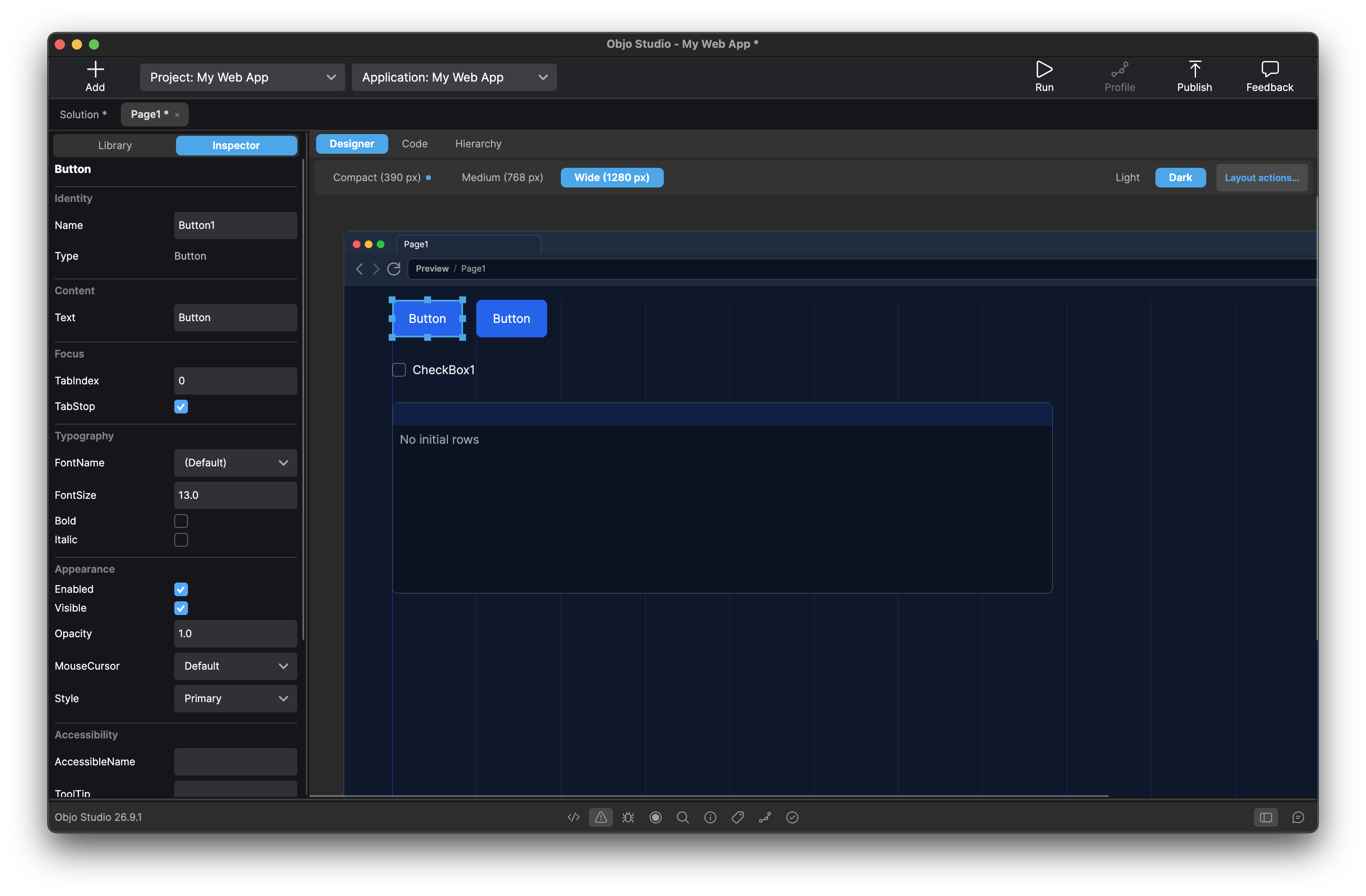
Why Objo Studio?
Desktop, Web and Command Line
Choose the right target for each application. Keep desktop tools, browser apps and command line utilities in one solution, sharing data models and business logic where their APIs overlap.
Visual Designer
Drag controls onto desktop windows or responsive web pages, then connect their events with Objo code. Arrange web layouts for Compact, Medium and Wide screens in the designer.
Familiar Language
The Objo language is a modern, statically typed language with BASIC-like syntax. Very easy to get started but powerful enough for professionals.
Powerful Debugger
Set breakpoints, step through your code line by line, inspect and watch variables.
Self-Contained Applications
Build desktop and command line apps, or publish a web app as a self-contained server executable. The destination computer needs no Objo Studio or separate .NET installation.
Optional AI Assistant
Objo Studio supports working with LLMs if that's your thing, with optional deep integration with all the proprietary and open LLMs right in the IDE.
Simple to Understand Code
Objo is designed to be readable and approachable. Everything is an object, methods chain naturally, and there's no boilerplate to wade through.
# Create player.
player = GameCanvas1.CreateSpriteFromAsset("Player")
player.X = 400
player.Y = 300
player.CollisionGroup = "player"
player.CollidesWithGroup("enemies")

# Create enemies.
For i As Integer = 0 To 4
  Var enemy As Sprite = GameCanvas1.CreateSpriteFromAsset("Enemy")
  If Maths.RandomInt(0, 1) = 0 Then
    enemy.X = Maths.RandomInt(50, 150)
  Else
    enemy.X = Maths.RandomInt(600, 750)
  End If
  enemy.Y = Maths.RandomInt(50, 550)
  enemy.VelocityX = Maths.RandomInt(50, 150)
  enemy.VelocityY = Maths.RandomInt(50, 150)
  enemy.CollidesWithBoundary = True
  enemy.CollisionGroup = "enemies"
Next i