Objo Studio v26.9.1 Released
Objo Studio 26.9.1 is now available, and this really is a big one.
As is the Objo way, we’ve fixed all reported bugs assigned to this release (44 in total) and added 22 new features and improvements.
You can read about everything in the full changelog, but I’d like to focus on three of the biggest additions.
Build Web apps visually
Objo Studio can now create Web projects.
This is one of the largest additions we’ve made to Studio so far. You can design responsive browser applications visually, write their behaviour in Objo, run and debug them from Studio, and publish them as self-contained applications.
Web pages use responsive grid layouts with Compact, Medium and Wide breakpoints. This lets you arrange the same controls differently for phones, tablets and larger desktop browsers without maintaining separate pages.
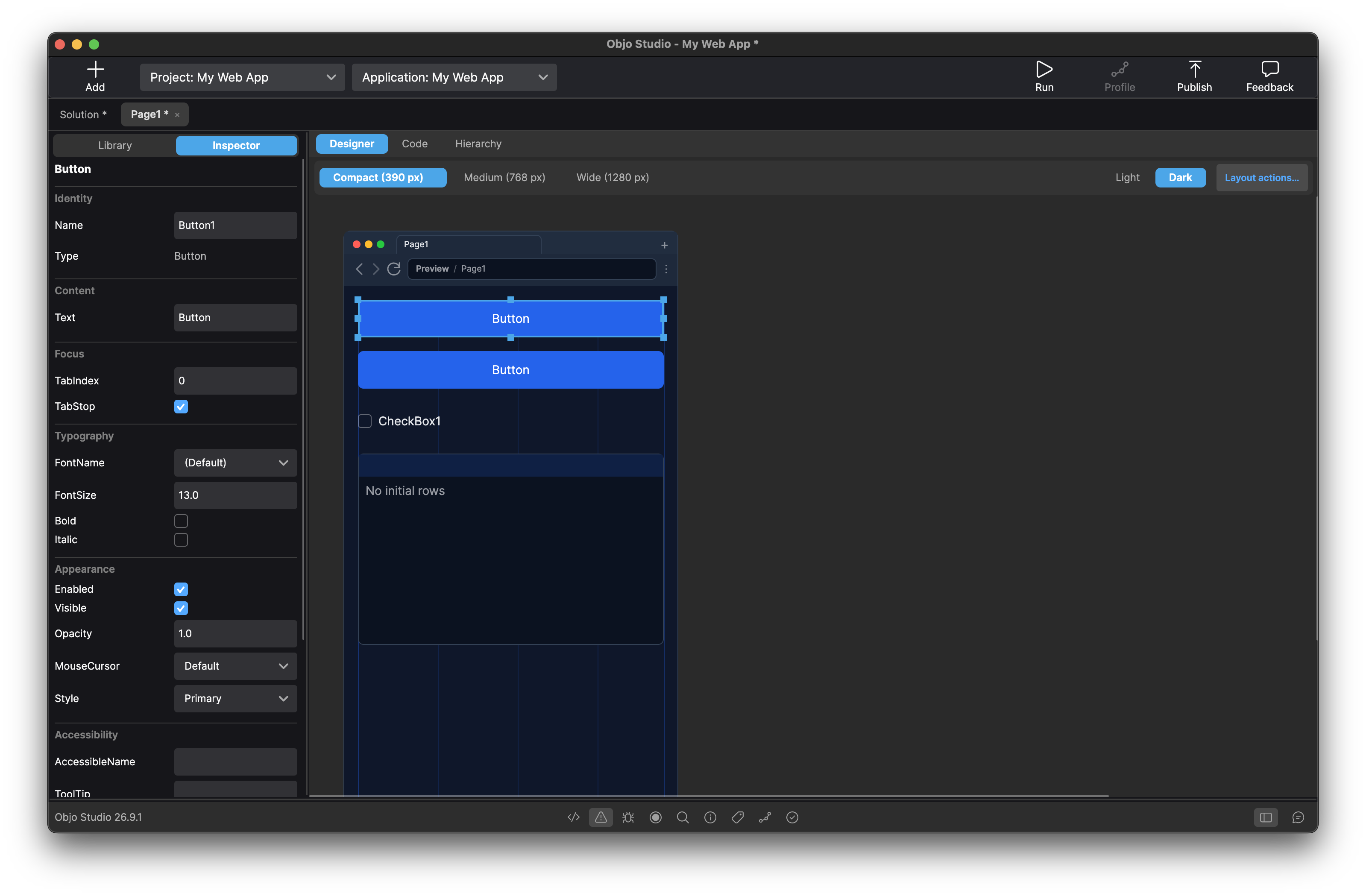
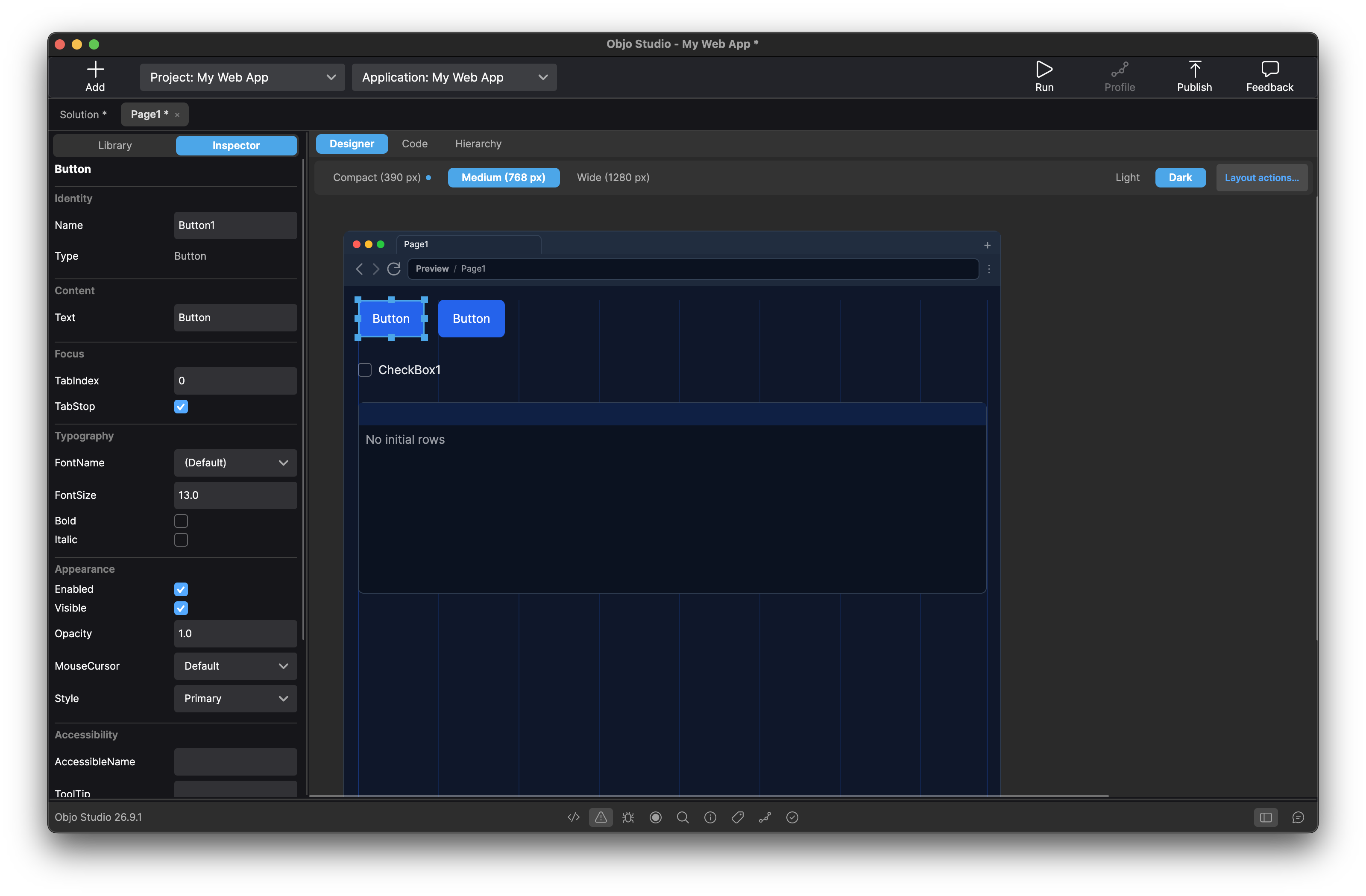
The initial release already includes 22 Web controls, including Button, TextField, TextArea, ListBox, ComboBox, Chart, Canvas, TabPanel, ImageViewer, date and time pickers, and several others. They use native browser behaviour wherever possible and include support for keyboard navigation and accessible labelling.
A Web project can contain multiple pages making it straightforward to build applications with several screens.
Debugging starts a private development server and opens the app in your browser. Breakpoints in page and control event handlers work through Studio’s normal debugger, so you can step through Web application code and inspect variables just as you would in a desktop project.
When the app is ready, Publish produces a self-contained native executable for the selected platform. The destination computer does not need Objo Studio or a separate .NET installation.
Web Projects are launching as a public beta. They’re already capable of building substantial applications, but I expect the workflow and browser presentation to keep improving as people begin using them in the real world.
There’s far too much to cover properly here, so a dedicated Web Projects post will follow shortly.
Exact decimal arithmetic
Objo now has a first-class Decimal number type.
Double is fast and remains the right choice for many calculations, but its binary representation cannot store every decimal fraction exactly. That can be inconvenient when working with money, measurements and database values.
Decimal provides exact base-10 values with 28–29 significant digits. Decimal literals use a d suffix:
Var unitPrice As Decimal = 19.95d
Var taxRate As Decimal = 0.2d
Var total As Decimal = unitPrice + (unitPrice * taxRate)

Print(total.ToString()) # 23.94
The new type supports arithmetic, comparisons, rounding, parsing, locale-aware formatting and explicit conversion to and from other numeric types.
It also integrates with Objo’s database APIs. Decimal values can be bound directly to prepared statements and retrieved from database columns without first passing through a Double.
This is the sort of foundational language addition that may not look flashy in a screenshot, but it makes Objo much more useful for business, financial and data-oriented applications.
A new TagField control
Desktop projects gain a new TagField control for entering and displaying collections of tags.
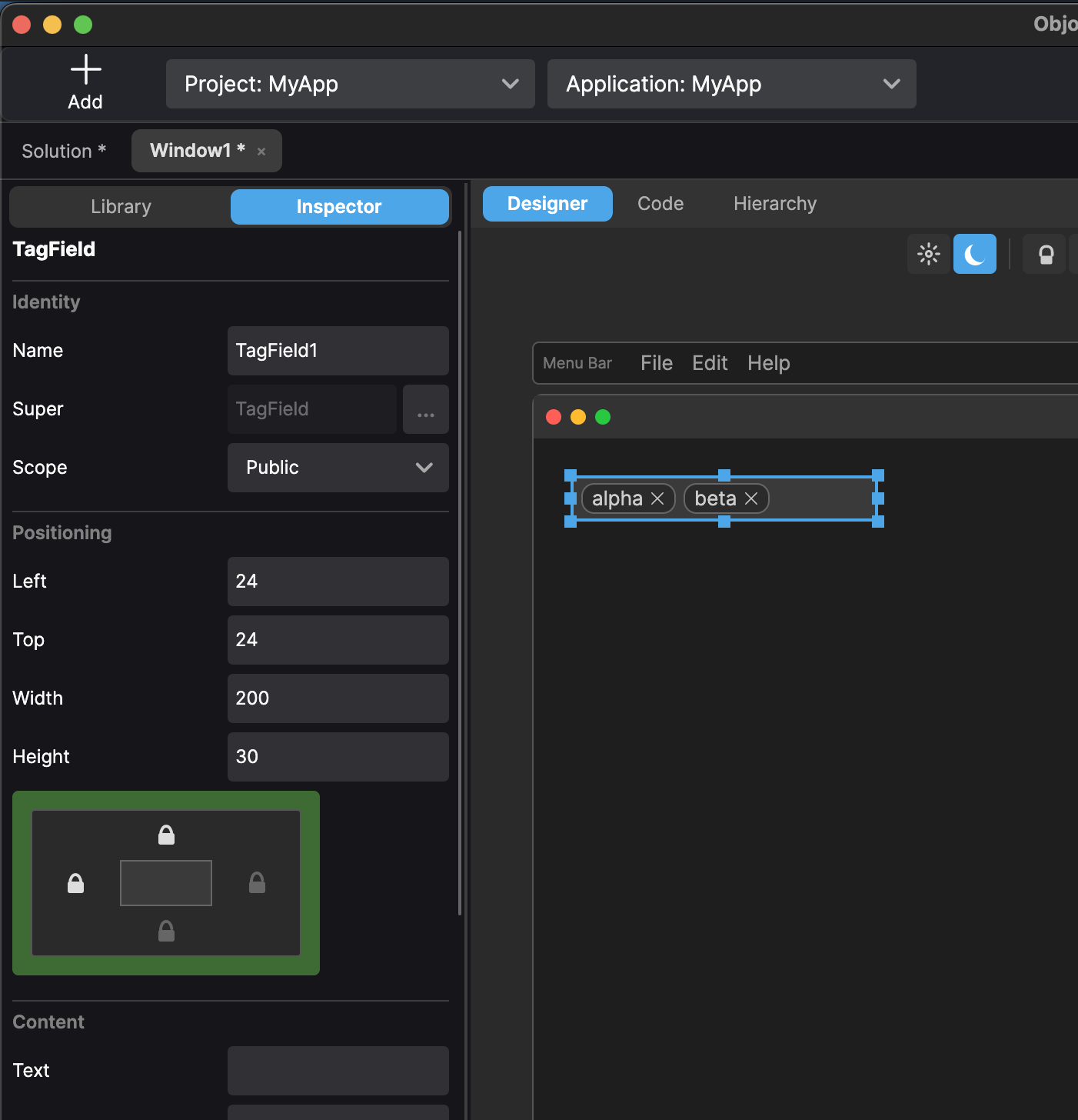
The user can type a value and press Return or comma to turn it into a rounded, removable tag. Pasting comma-separated text can create several tags at once, while built-in validation can reject duplicates or limit how many tags are accepted.
Tags can stay on a single horizontally scrolling line or wrap across multiple lines. The control also supports static and dynamically generated autocomplete suggestions, read-only presentation, custom colours and application data attached to individual tags.
Events let your app validate proposed tags, supply suggestions, and respond when tags are added, removed or pressed.
TagField is fully integrated into Studio’s visual designer and Inspector, so it can be added and configured in exactly the same way as the other desktop controls.
Plenty more
Those are the three headline additions, but 26.9.1 contains plenty of other useful improvements:
Cryptocan now encrypt and decrypt text or binary data using authenticated AES-256-GCM encryption, including password-based encryption.ListBoxgains cell hit testing, scroll-position controls and the ability to disable column reordering.- Windows can now be minimised, maximised and restored from code, with new events for completed moves and resizes.
DateTimegains explicit tick precision and a broader collection of truncation helpers.HTMLViewernow exposes keyboard events.- Solution search has a convenient inline clear button.
- The Debugger panel can optionally display its own execution controls.
- Autocomplete has been improved for string literals, generated designer properties and contextual shorthand values.
There's also been a substantial round of fixes across the compiler, debugger, visual designer, controls and editor. These include better handling of nested enumerations, safer asynchronous scheduling, more reliable menu and toolbar editing, and a collection of platform-specific layout and interaction fixes.
Objo Studio 26.9.1 is available now from the download page.
I hope you enjoy this release. I’m really looking forward to seeing what people build with Web Projects.