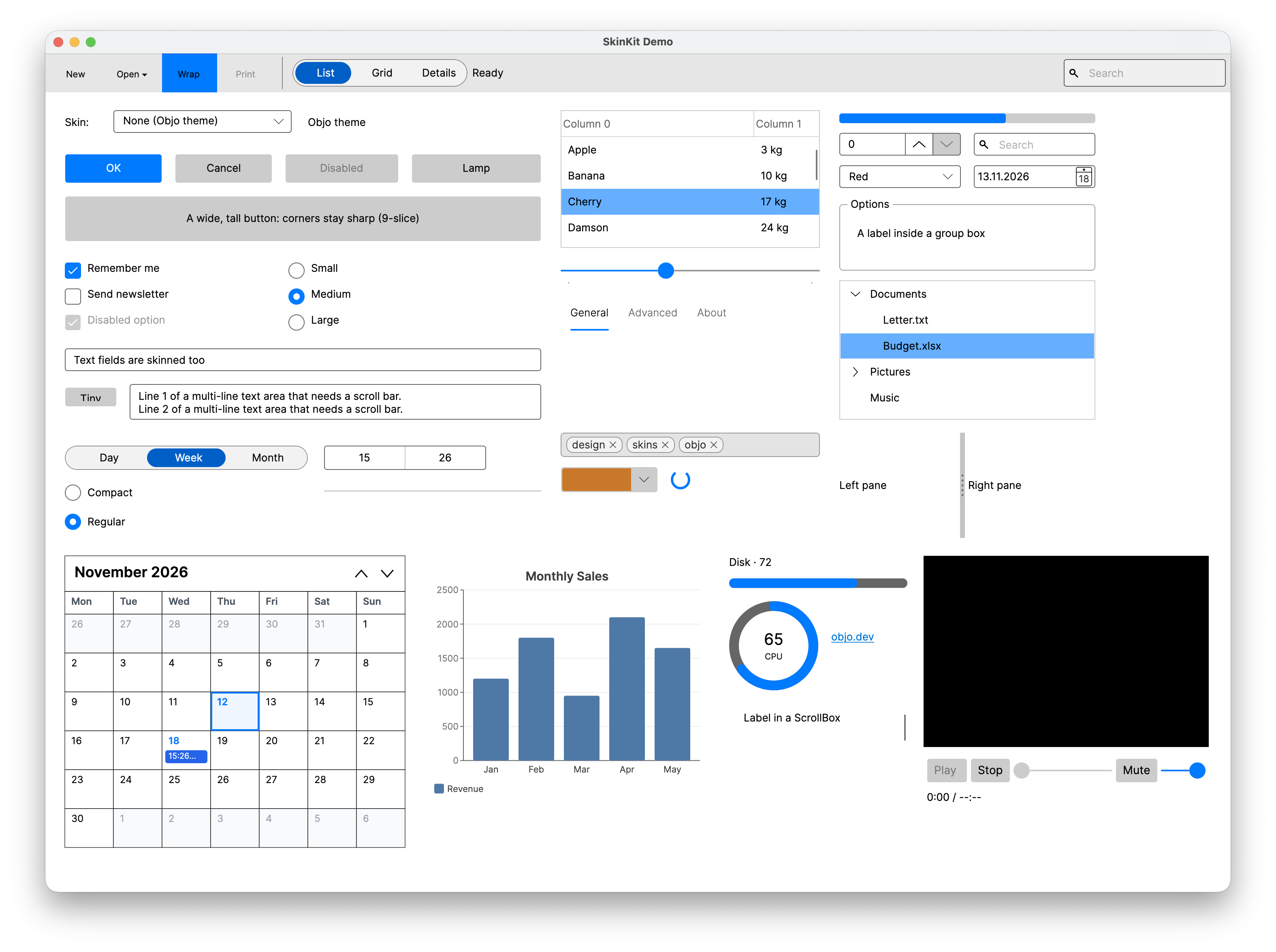
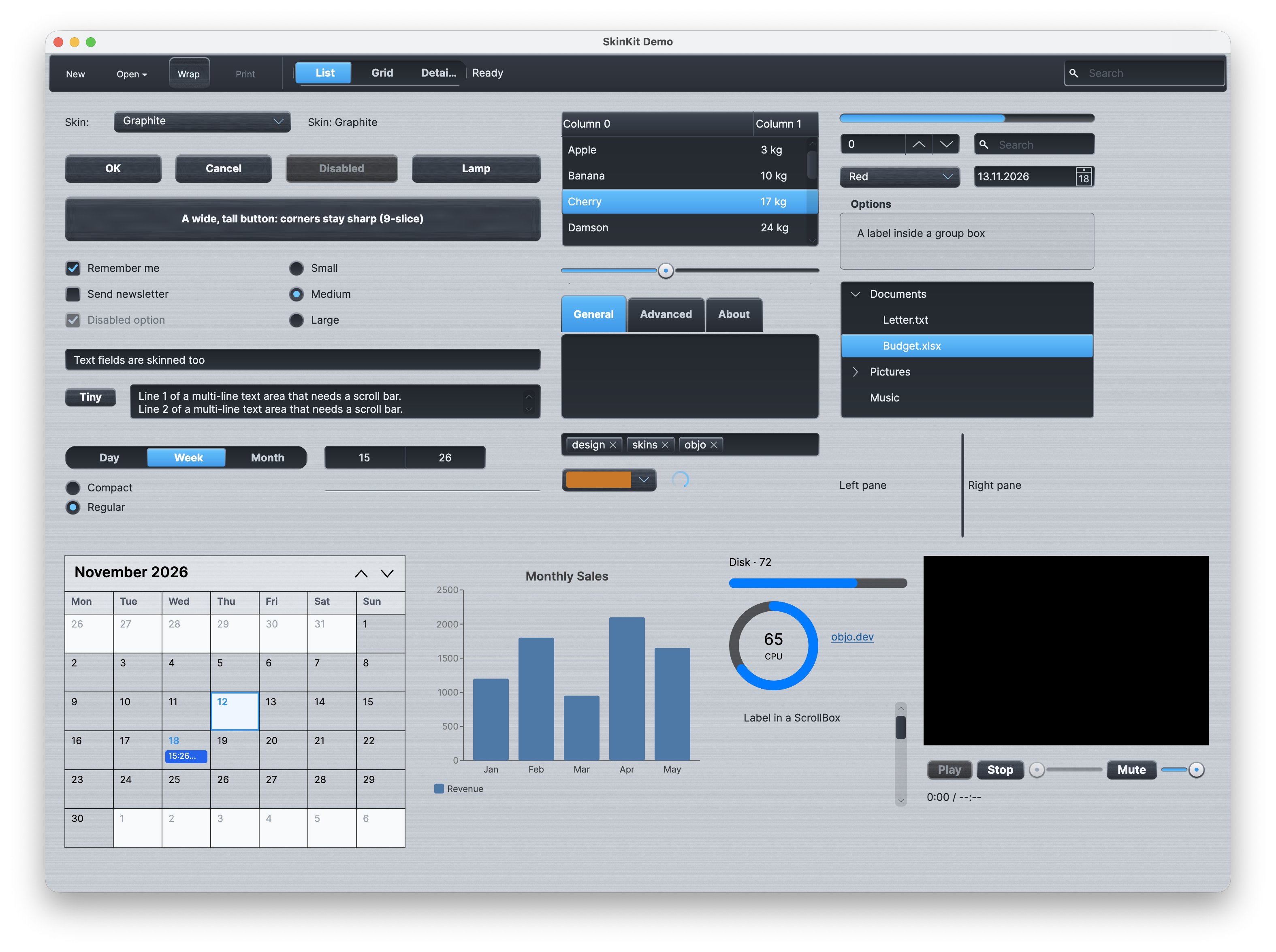
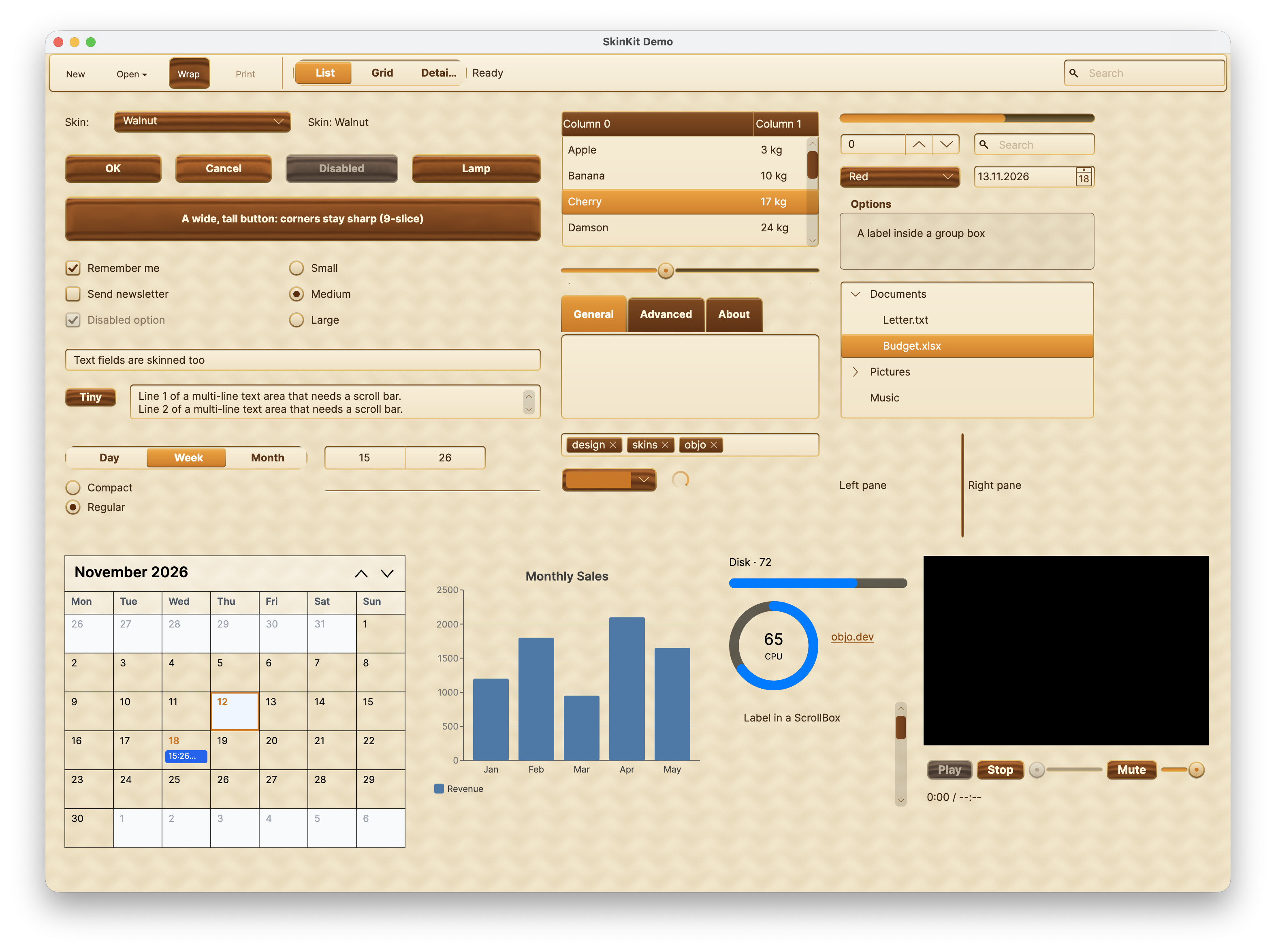
SkinKit gives your Objo desktop app a custom look using PNG artwork. Style buttons, text fields, tabs, lists, toolbars and window backgrounds, and let users switch skins while your app is running.
Each skin is a folder with a skin.json file and its artwork. You can supply different images for states such as hover, pressed and disabled. Nine-slice scaling keeps corners sharp when controls resize, so the same artwork can fit a small button or a wide panel.
Try the demo
Download skinkitdemo.objo from the forum. Open it in Objo Studio, run the project and use the Skin menu to switch between Walnut, Graphite and the default Objo appearance. The project includes the plugin, both skins and the Objo source for the demo.
SkinKit is in beta and has been tested on macOS with Objo Studio 26.11.4. Without a SkinKit licence, the app returns to the default Objo appearance ten minutes after you apply the first skin in each run.