Introduced in 26.9.1 · Public beta

Rich web apps. Familiar Objo code.

Build the tools your team uses and the portals your customers need. Design responsive pages visually, write their behaviour in Objo and use them in a browser.

Free to design, run and debug. An Objo Studio license unlocks publishing.

Design for every screen.

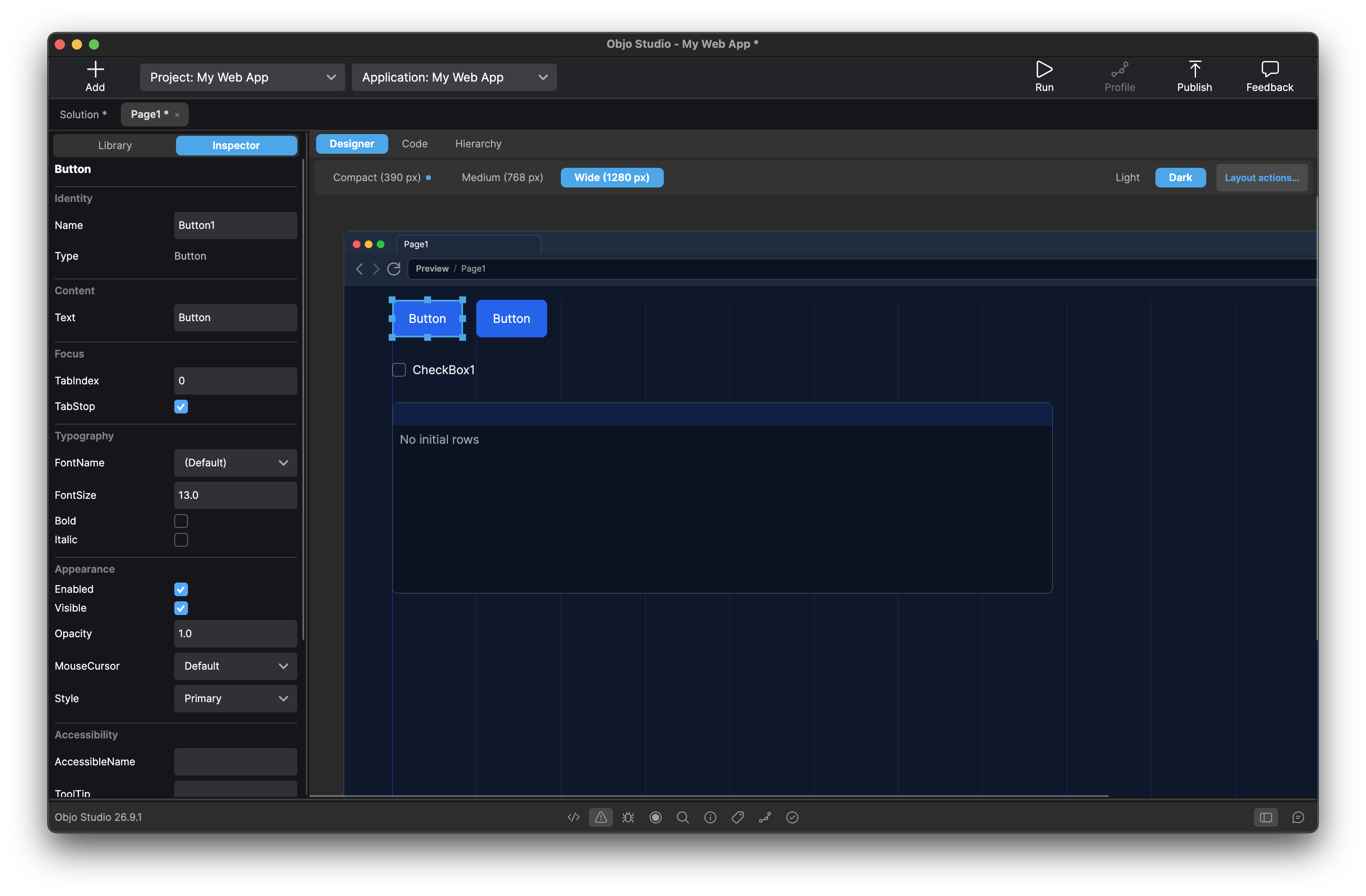
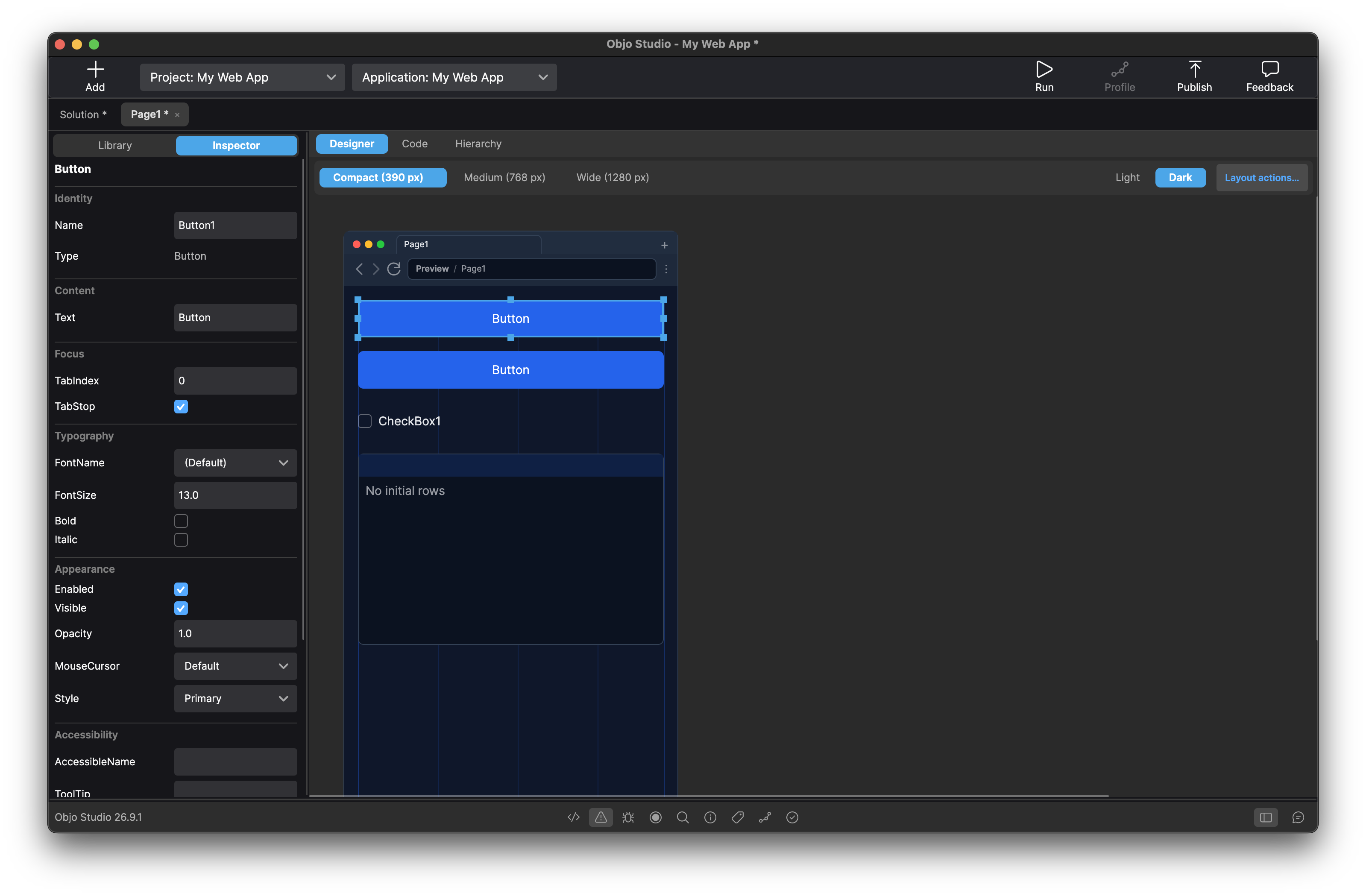
Arrange your page at Compact, Medium and Wide breakpoints. Move controls, adjust their grid spans and preview light or dark appearances. Studio checks each layout before you run or publish.

Objo Studio 26.9.1 Web designer at the Wide breakpoint, with controls arranged on a responsive grid.
Wide layout · 12-column grid
The same Web page in the Objo Studio designer at the Compact breakpoint.
Compact layout · 4-column grid

More than a form with a submit button.

Forms and customer portals

Combine text fields, date and colour pickers, search, tabs and grouped controls. Handle validation and page navigation in Objo, with a separate application session for each browser tab.

Tools for real data

Build searchable contact lists and record editors. Virtual ListBox views load the rows you need while the full dataset stays in your server-side database. ComboBox suggestions can be searched without sending the whole catalogue to the browser.

Interactive dashboards

Turn database summaries into bar, line, scatter, pie or doughnut charts. Use chart selections to show related records. Built-in charts include tooltips, keyboard navigation and a View data table.

Drawing that stays local

Use Canvas for custom 2D graphics and image assets. Write Paint and interaction handlers in Objo; supported Canvas code runs locally in the browser, so drawing needs no server round-trip.

Native browser controls

Build with controls that use browser semantics, associated labels and keyboard focus. Choose System, Light or Dark appearance and your own accent colour.

Share the logic behind your apps

Keep Desktop, Web and Command Line projects in one solution. Share models, validation and business rules through Shared Code, using APIs supported by each target. Design an interface for each application.

From a new page to your own server.

  1. Design

    Create a Web project and drag controls onto its page. Arrange all three responsive layouts and connect control events to your Objo code.

  2. Run and debug

    Run opens your app in a local browser. Debug server-side events with breakpoints, stepping, variables and watches, all inside Studio.

  3. Publish

    With an Objo Studio license, publish one self-contained server executable for your chosen platform. The host computer needs no Studio or separate .NET installation.

Share your app with a link

Your customers and colleagues can use your app in their browser, without installing anything. From a customer portal to an internal tool, your app is just a link away.

When you're ready to share it, Objo Studio packages your app for hosting on your own server or with a hosting provider. You choose and manage the hosting; it isn't included with Studio. Our publishing guide covers the setup when you need it.

Start with a working example

Open Examples in the Studio solution chooser. Try Responsive Web Pages for forms, validation and navigation; Web Contact Tracker for a database-backed editor; or Web Sales Dashboard for charts linked to data. Web Chart Gallery and Web Canvas Gallery explore visualisation and drawing.

Prefer a blank page? Build your first web app walks you through designing, running, debugging and publishing a small responsive app.

What's included in the public beta?

Web projects are available now in Objo Studio 26.9.1. The beta label applies to the new Web target while its workflow and browser presentation continue to be refined.

  • Build with the supplied Web controls. Arbitrary HTML, CSS, JavaScript and custom Web controls are not currently supported.
  • Debug server-side code locally with one browser session per Debug run. Remote debugging and Web project unit-test targets are not yet available.
  • Canvas provides immediate-mode 2D drawing; it is not the desktop GameCanvas or a complete browser game framework.

Read the Web Projects documentation for the complete capabilities and current limits, or the launch announcement for the story behind the target.

Try it free. Publish with the same license.

Create Web projects, design pages, run them in your browser and debug for free. Publishing requires the same Objo Studio license used for desktop and command line apps. There is no separate web edition to buy.

Download Objo Studio or see pricing and license details.