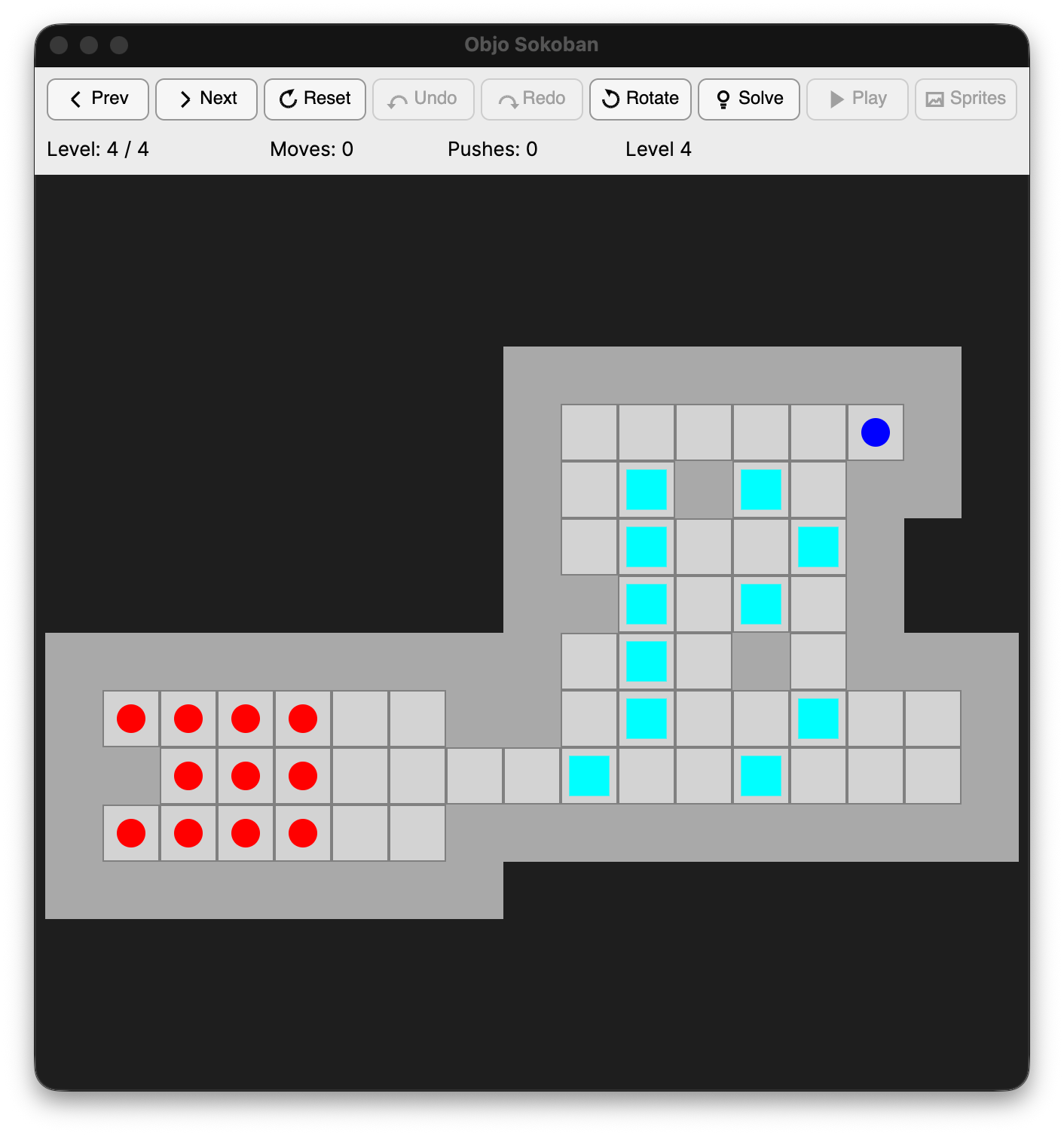
The classic box-pushing puzzle, mouse-first: click a square to walk there, click a box to push it there. Undo and replay, classic Sokoban 3 and Sokoban++ skins, and a built-in solver that finishes a stubborn level for you.
Objo Sokoban is the classic warehouse puzzle for the desktop, built in Objo Studio by community user @madru. Push every box onto a goal square, play by mouse or keyboard, open level files from across the Sokoban ecosystem, and when a level has you stuck, let the game solve it for you.
Highlights
- Two ways to play. Arrow keys move the player, or click any reachable square to walk there automatically. Click a box, then a square, to push it exactly where you want it.
Uundoes,Yredoes,Rresets,NandPmove between levels,Lopens the level list. - Levels from the whole community. Opens
.txt,.sok,.xsb,.slcand.lp0level files, and levels pasted from the clipboard, plain or RLE packed. Thousands of published level sets just work. - Classic skins. Loads graphics in the Sokoban 3
.sknand Sokoban++.iniformats, sprite sheet or individual images, including beauty wall tiling, status panels with digit bitmaps, backgrounds and optional per-skin sound sets. No skin loaded? The game plays in clean built-in shapes. - Built-in solver. Press
F5and the position is handed to a separate worker process running a best-first push search with deadlock detection and tunnel macros. The solution then plays back on screen, move by move. - Made yours. Choose the skin's background, your own picture or a plain colour, enjoy step, push and victory sound effects, and every setting is remembered for the next run.
Requirements
- Objo Studio 26.9.4 or later
- No plugins required, the game is pure Objo
Getting started
- Download the app and open it, or open the project in Objo Studio and press Run.
- Open a level file (
.txt,.sok,.xsb,.slcor.lp0) or paste a level from the clipboard. - Move with the arrow keys, or click squares and boxes with the mouse.
- Optional: load a community skin from the Graphics menu.
About
Objo Sokoban is written and maintained by @madru, who also built the excellent Game Boy Core plugin and Game Boy Emulator app