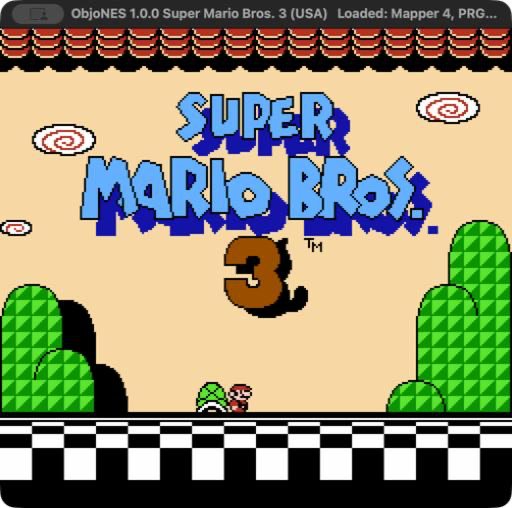
A complete NES emulator for the desktop, built in Objo Studio by community user @madru. It plays original cartridges with sound on macOS, Windows and Linux, straight from the IDE you already use to build Objo apps. The app is a port of madru's B4J NES emulator, and one of its two emulation cores is written entirely in plain Objo.
Highlights
- Two cores, one app. The emulator ships with a full-speed core built as a C# plugin (
eu.madru.nes) with a dot-accurate PPU, and a complete second core written in pure Objo with a scanline PPU. Switch between them from the Emulation menu and compare them yourself. - Broad cartridge support. 28 iNES mappers (0-5, 7, 9-11, 22-25, 28, 34, 62, 64, 66, 69, 71, 83, 118, 158, 221, 227, 242, 243) cover the overwhelming majority of the library, from NROM and UNROM boards through MMC1, MMC3 and MMC5 to VRC and other exotics.
- NTSC and PAL. The region comes from the cartridge header or file name automatically, or force it in Options. Frames are paced at the real console rate: 60.0988 fps on NTSC, 50.007 fps on PAL.
- Sound everywhere. All five APU channels (two squares, triangle, noise and DMC) stream through Objo's AudioOutput API on macOS, Windows and Linux.
- Tools for playing and tinkering. Save states, automatic battery-backed in-game saves, Game Genie cheat codes with a live decode preview, a WAV recorder for capturing a game's soundtrack, a ROM analyzer with CRC32, and anF1 debug overlay showing live CPU registers and FPS.
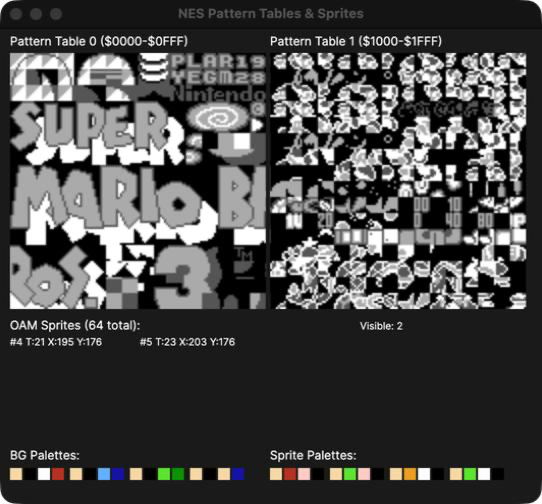
- Live hardware viewers. A sprite viewer draws the pattern tables, OAM and palettes while you play, and an audio viewer shows each sound channel's registers with a switch to mute channels individually.
- Two players, any keys. Two controllers with sensible defaults and full remapping in Options > Controllers, kept between sessions.
- Built to be read. The whole app is ordinary Objo source: menus, canvas rendering, timing, cheat decoding and the pure-Objo core are all in the box, ready to open, run and debug for free in Objo Studio.
Requirements
- Objo Studio 26.10.2 or newer.
- The free NES Core plugin(
eu.madru.nes 1.0.1). When you first open the project, Studio tells you exactly which package is missing. Once the project runs, the pure Objo core can take over from the Emulation menu. - Your own ROM files. None are included.
Getting started
- Download the .objo file below and open it in Objo Studio.
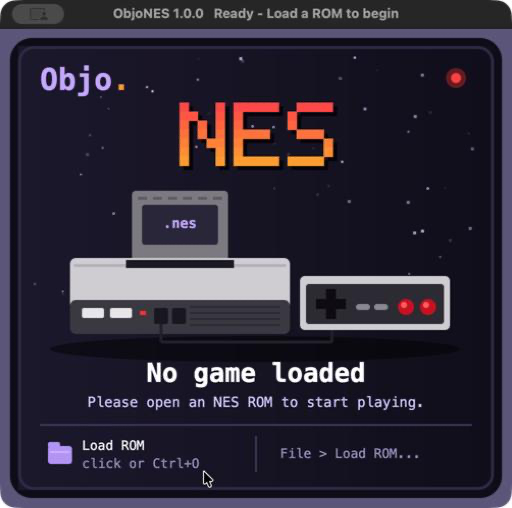
- Press Run, then choose File > Load ROM and pick an NES ROM (.nes).
- Play: arrows are the D-pad,
FisA,DisB,SisSelectandReturnisStart. Player two moves withI/K/U/O, usesJandHforAandB, andNandMforSelectandStart. Change any key in Options > Controllers.
Licence
ObjoNES is free software: you can use, study and modify it under the terms of the GNU General Public Licence v3 or later. It is based on madru's B4J NES Emulator and uses the Mesen NTSC palette.
About
ObjoNES is made by @madru, who also built the Game Boy Emulator app and the ChartView, Game Boy Core, Minesweeper and Sokoban entries in this showcase. The emulation core is also available as a standalone plugin, ready to drop into your own projects.